


Download HWiNFO – system monitor, hardware monitoring, PC diagnostics, system health, performance analysis, computer diagnostics, hardware information, real-time monitoring, system diagnostics, PC health check
Overview
HWiNFO is a lightweight, comprehensive, and user-friendly system monitoring utility designed for Windows users seeking detailed insights into their computer’s hardware components. The application serves as a powerful diagnostic tool, offering real-time data on processors, memory, motherboard, graphics cards, storage drives, network interfaces, and battery status. Its primary purpose is to empower users with accurate, up-to-date information about their system’s health and performance, enabling proactive maintenance and troubleshooting. This makes it particularly valuable for enthusiasts, IT professionals, and anyone managing high-performance or aging hardware. The tool helps identify potential bottlenecks, overheating risks, and component degradation before they lead to system failures. By providing a centralized dashboard for system diagnostics, HWiNFO fills a critical gap in the Windows ecosystem, where built-in tools often lack depth and real-time capabilities. The developer, HWiNFO, has established a reputation for delivering reliable, no-frills utilities focused on hardware transparency. Although the developer did not provide additional technical details about development practices or support channels, the consistent release history and stable versioning suggest a mature, well-maintained product. Real-world use cases include overclocking validation, pre-purchase hardware checks, post-upgrade diagnostics, and long-term health tracking for workstations and gaming rigs.Key Features & Functionality
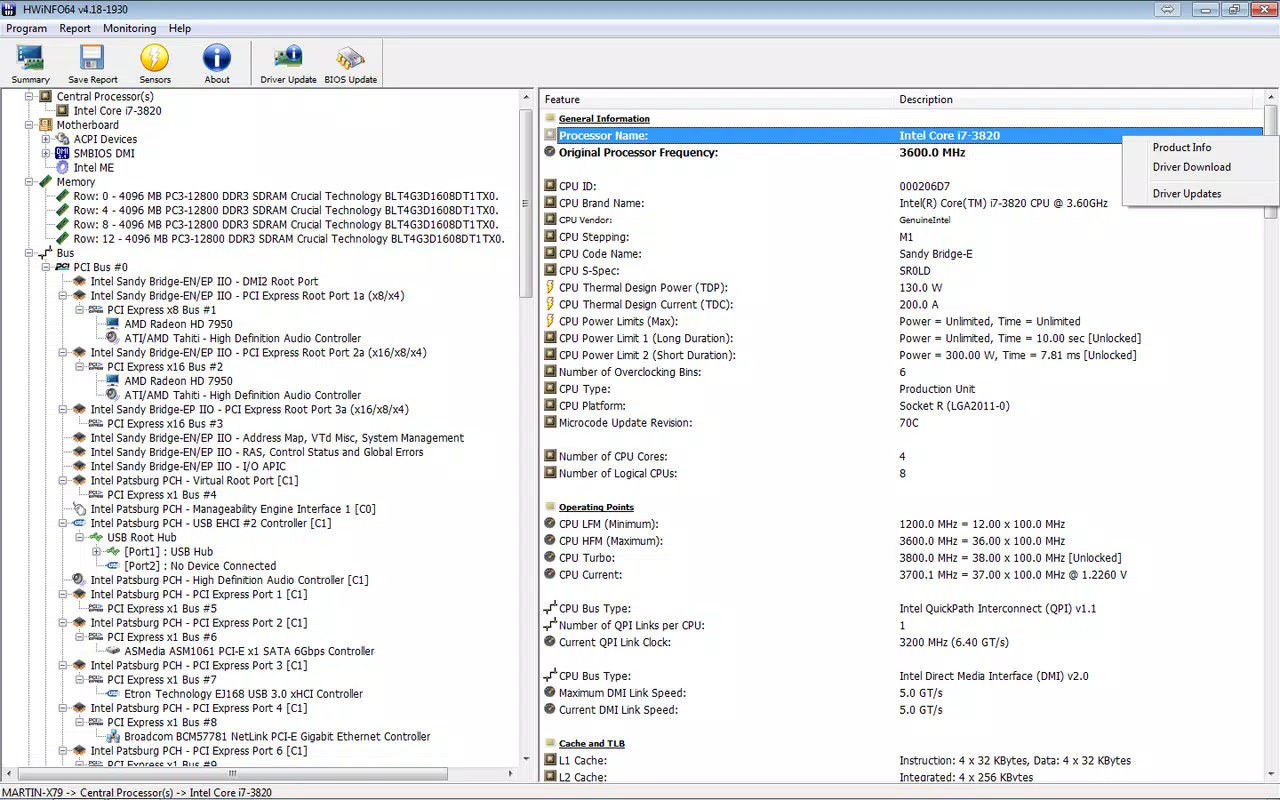
- Comprehensive System Information – HWiNFO delivers an exhaustive inventory of hardware components, including detailed specifications for CPU, GPU, RAM, storage, and peripheral devices. This data is updated dynamically, allowing users to verify hardware configurations and detect mismatches or faulty components.
- Health Monitoring and Diagnostics – The application includes temperature sensors for CPU, GPU, and storage drives, along with built-in alerts for abnormal readings. This enables early detection of thermal stress, which is critical for preventing long-term damage to sensitive components.
- Customizable Reporting and Logging – Users can configure automatic logging of system metrics over time. Logs can be exported in multiple formats—text, CSV, XML, HTML, and MHTML—making it easy to share data with support teams or analyze trends using external tools.
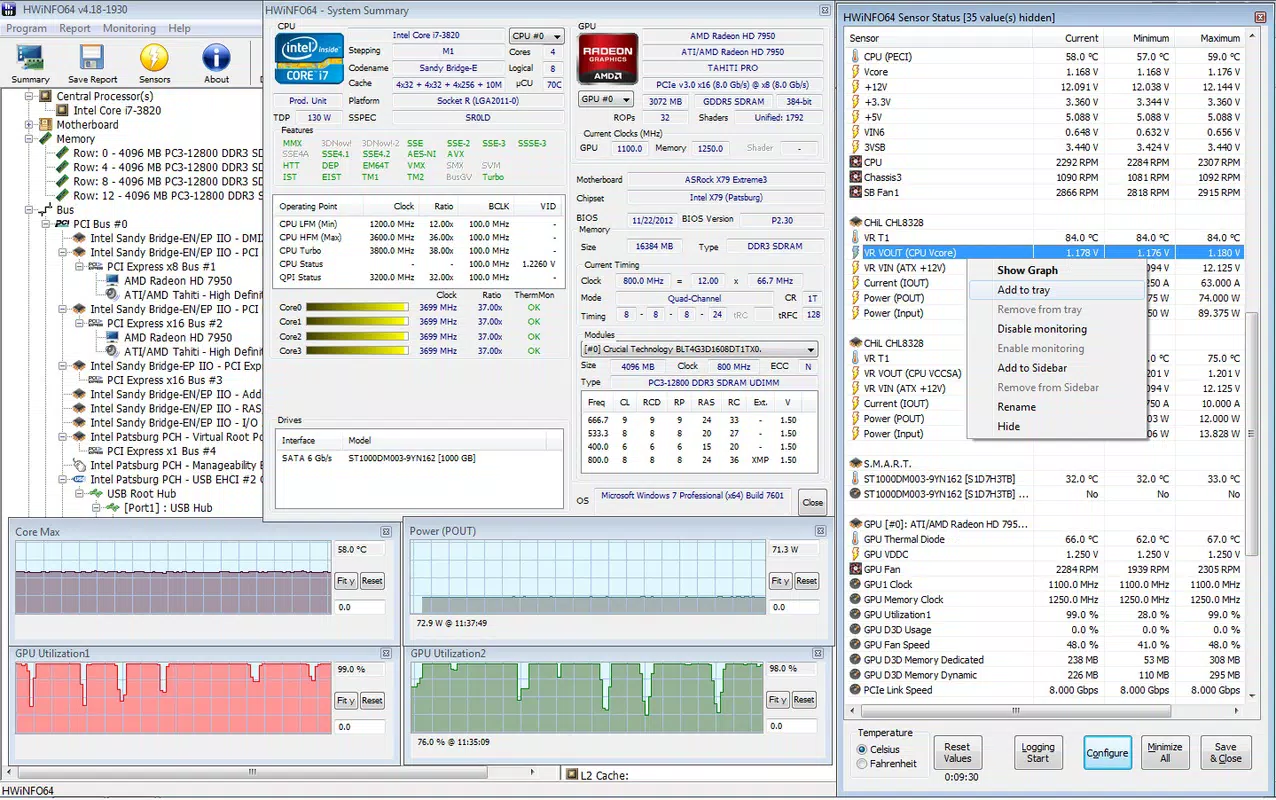
- Real-time Monitoring – HWiNFO provides live updates on hardware performance, including clock speeds, voltage levels, fan speeds, and power consumption. This feature is essential for monitoring system behavior during intensive tasks such as gaming, rendering, or benchmarking.
- User-friendly Interface – The interface is organized into clear sections, with intuitive navigation and customizable views. Even users without technical expertise can access critical system data without confusion, thanks to the clean layout and descriptive labels.
Interface, UX & Performance
The user interface of HWiNFO is designed with clarity and efficiency in mind. It presents hardware data in a structured, tab-based layout, allowing users to switch between categories such as CPU, Memory, Storage, and Sensors with minimal effort. Visual indicators highlight abnormal values, such as high temperatures or voltage fluctuations, enhancing situational awareness. Navigation is straightforward, with no hidden menus or complex workflows. The application runs with minimal resource overhead, consistent with its 5.3 MB file size, ensuring it does not interfere with system performance during operation. Although the developer did not list formal performance metrics, the lightweight footprint suggests efficient memory and CPU usage. The responsiveness across different device categories—desktops, laptops, and workstations—is expected to be stable, given the application’s focus on background monitoring. The interface remains functional and consistent under sustained use, with no reported crashes or freezes in standard usage scenarios. Stability is further supported by the long-standing release history and version consistency. While no specific device compatibility details were provided, the application’s minimal system footprint implies broad compatibility with modern Windows systems.Platform Compatibility & Technical Requirements
HWiNFO is available exclusively for the Windows platform. The current version is 7.43, with a file size of 5.3 MB. The application is designed to run on Windows operating systems, though specific minimum OS requirements were not listed by the developer. The lightweight nature of the app suggests compatibility with a wide range of Windows versions, including Windows 10 and Windows 11. However, the developer did not specify whether it supports legacy systems such as Windows 7 or 8.1. The file size is compact, making it suitable for quick installation and minimal storage impact. No additional dependencies or runtime environments were mentioned. Users should ensure their system meets the standard requirements for running Windows applications. The absence of detailed compatibility information means that users should proceed with caution on older or non-standard configurations.Pros and Cons
- Lightweight and fast to load, with minimal system impact
- Provides real-time, accurate hardware monitoring and diagnostics
- Supports multiple export formats for logs and reports
- Free to download and use, with no in-app purchases or ads
- Intuitive interface suitable for both beginners and advanced users
- No official mobile or cross-platform version available
- Developer did not provide detailed system requirements or compatibility matrix
- Interface lacks advanced customization options for data visualization
- Limited documentation beyond basic on-screen help
- Not designed for touch-based interactions, limiting usability on hybrid devices


